

Manage your service catalogue
Services live in one workspace-wide catalogue managed by an organisation admin; each branch offers the services enabled for it — you can enable a new service at branches while creating it, and a branch's manager can change the list later (see Create your first branch). This page covers the catalogue itself — creating services, durations, groups, how a branch presents them, and archiving.
Prerequisites
- An organisation admin sign-in for the catalogue and groups.
- Per-branch overrides (durations, order, display names) are edited on the branch's Services tab and also need access to that branch.
Create a service
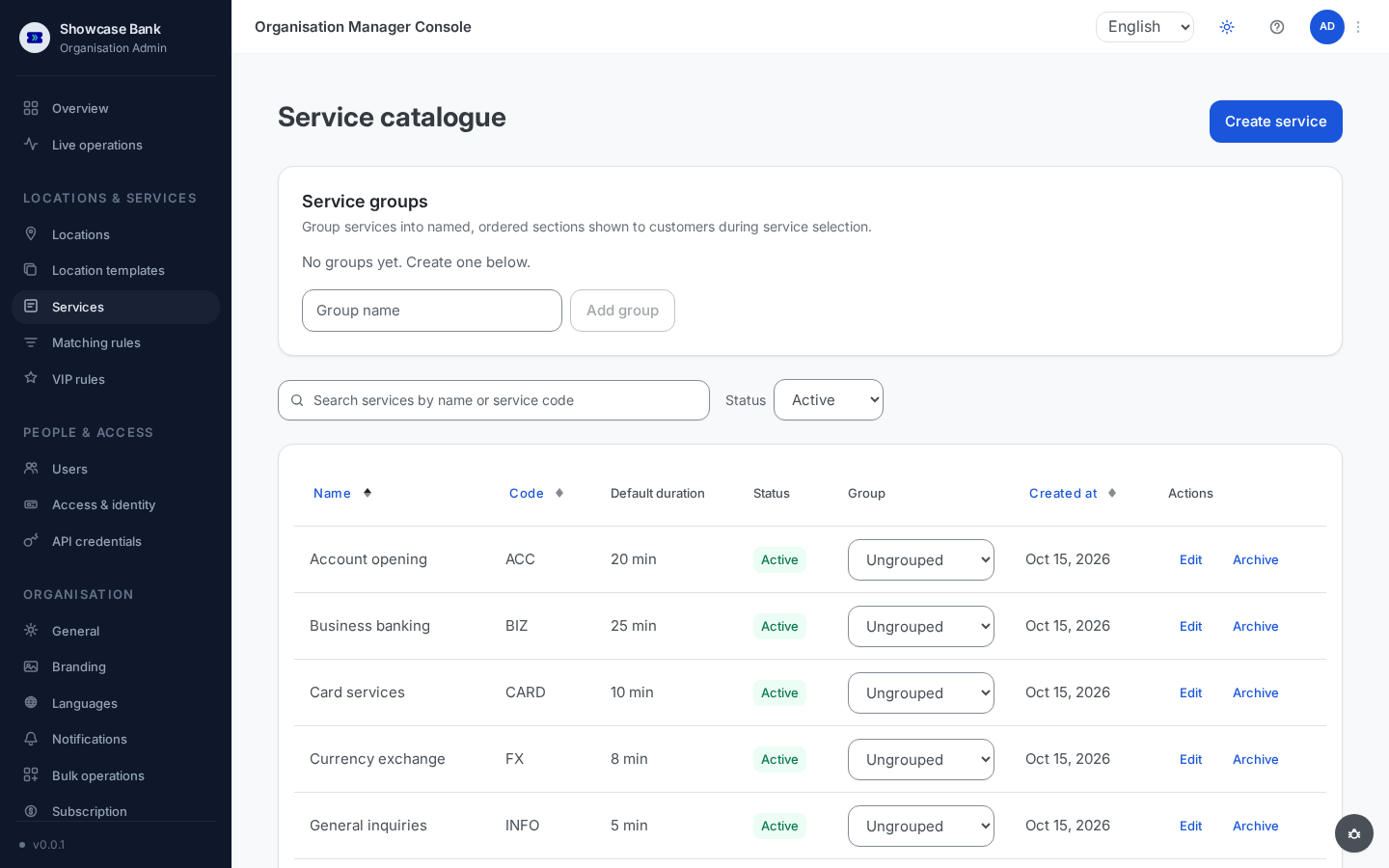
Open Services in the sidebar. The list shows each service's name, code, default duration, status, and group; you can search by name or code and filter by status.
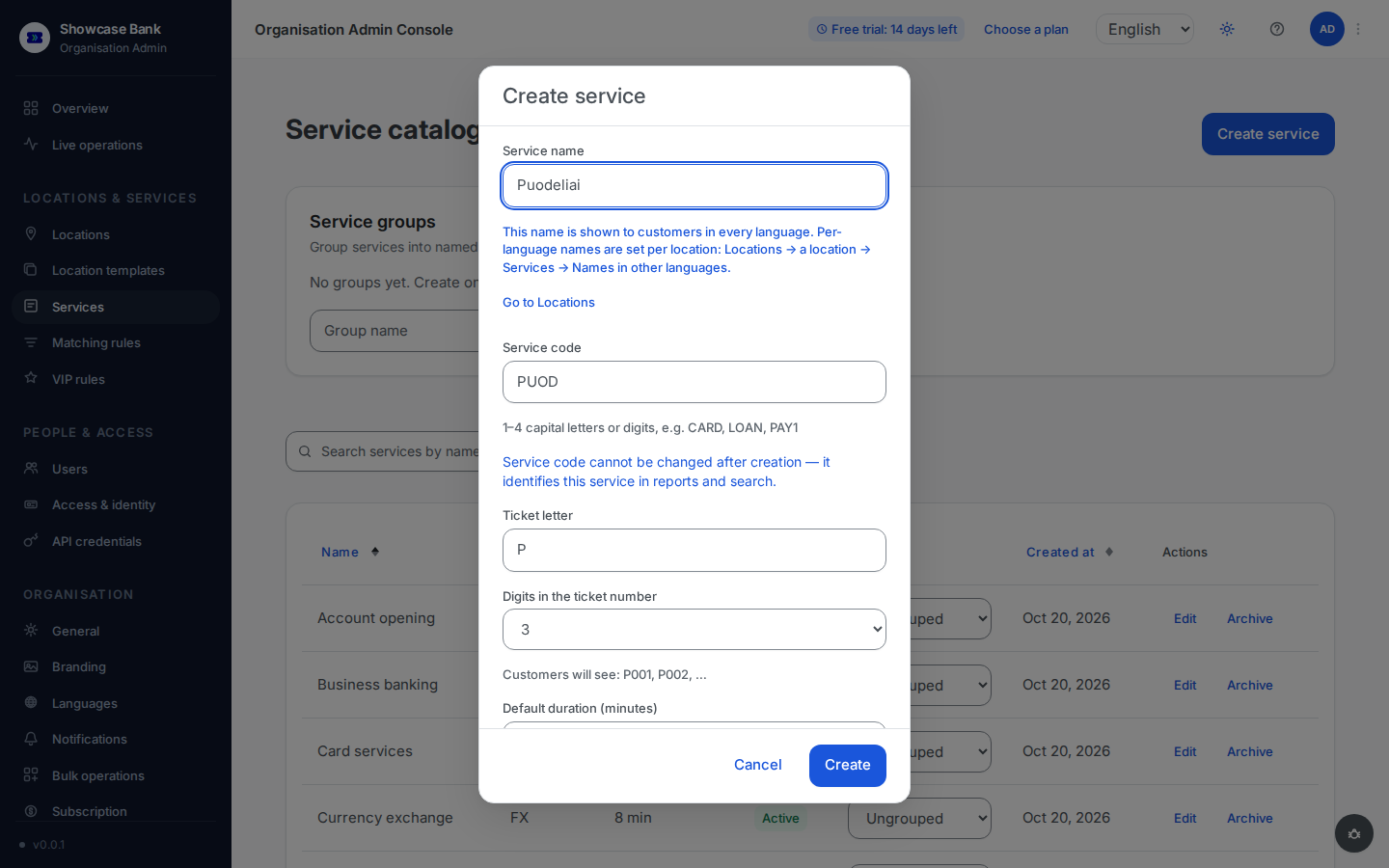
Click Create service and fill in:
- Service name — up to 80 characters, unique in the catalogue.
- Service code — filled in for you as you type the name: its first four Latin letters or digits, accents removed, in capitals ("Puodeliai" becomes
PUOD). If another service already has that code, a number is added (PUO2); a name with no Latin letters or digits getsS1,S2and so on. You can type your own code instead — the hint under the field shows the rule: "1–4 capital letters or digits, e.g. CARD, LOAN, PAY1". The code is internal: it identifies the service in reports and search, customers never see it, and it cannot be changed after creation — the dialog reminds you of this next to the field. To change a code later you would archive the service and create a new one. - Ticket letter — the letter (or two) every ticket number of this service starts with. It is filled in from the code, and you can change it now or later.
- Digits in the ticket number — 3 or 4. The line under these two fields shows what customers will see, for example "Customers will see: A001, A002, …".
- Default duration (minutes) — the expected serving time, 1–480.
- Available at — the branches that offer the service as soon as it is created, one tick box per active branch. With exactly one branch it is already ticked; with several, tick the ones you want. A branch linked to a location template is marked: creating the service with that branch ticked detaches the branch from its template, and Create asks you to confirm that first. If your workspace has no active branch yet, this group is not shown — once the branch exists, offer the service from Locations → the branch → Services → Edit services.
Click Create. The service is active immediately and appears in every branch's service picker. The ticked branches offer it at once — clients see it in QR entry and web booking on their next page load — and the confirmation names them. Only operators who have the service in their Services and languages card can call its customers: add it under Locations → the branch → Operators (see Complete the profile). If you ticked no branch, the confirmation says no branch offers the service yet; to offer it, open Locations → a branch → Services → Edit services.
A service enabled at a branch by mistake has to be removed from that branch's Services tab before it can be archived.
To edit later, use Edit on the service's row: name, default duration, ticket letter and digits can change at any time (new tickets use the new values; issued tickets keep their number); the code stays fixed.
Durations and per-branch overrides
The catalogue duration is the starting estimate for wait times: it is used until a branch builds up enough real serving history for a service, after which live averages take over.
Each branch can override the duration per service on its Services tab — the field is prefilled with the catalogue value, and the branch value takes precedence at that branch. The catalogue default remains in place everywhere no override is set.
Service groups
Groups turn the flat service list your clients see during service selection (QR entry, web booking, kiosk) into named sections — "Cards", "Accounts", and so on.
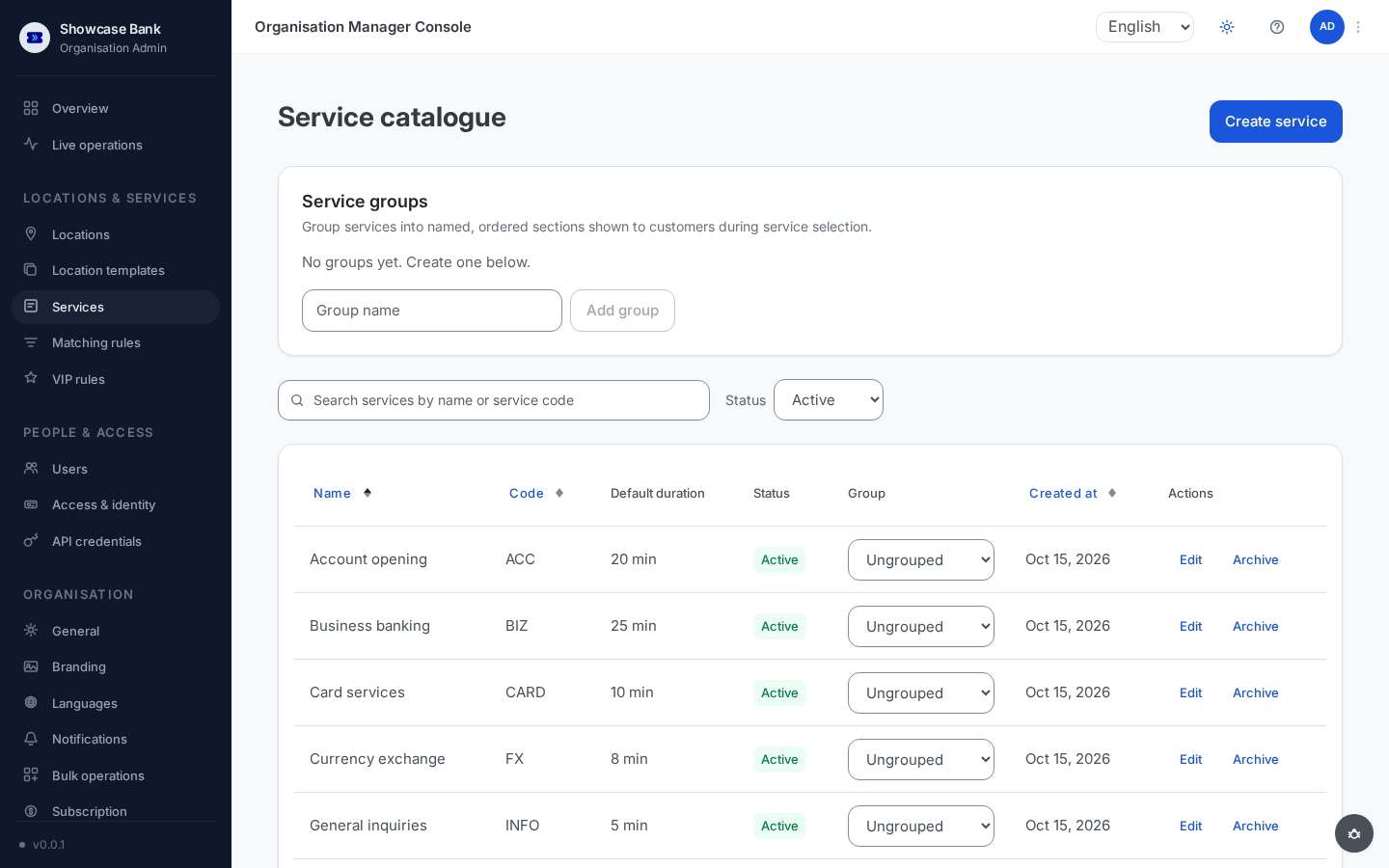
On the Catalogue page, the Service groups card sits above the list. Type a group name (unique in the workspace) and click Add group.
Assign services using the Group dropdown on each catalogue row (every service starts Ungrouped). A service belongs to at most one group.
Groups are ordered — clients see the sections in your order, and any ungrouped services appear under a final "Other" section. With no groups defined, clients simply see the flat list.
Grouping is presentation only: it never affects how clients are routed, wait estimates, or ticket numbers. Deleting a group is always allowed — its services just become ungrouped.
Per-branch order and display names
Each branch controls how its own services are presented to clients:
- Order — on the branch's Services tab, move services up or down. The order drives the QR service selection, the web booking list, and the kiosk buttons at that branch.
- Display names per language — each service has an edit option with one name field per language active at the branch, prefilled with the catalogue name. An override changes only what clients see at that branch; clearing the field reverts to the catalogue name. Reports, admin tables, and the operator console always use the catalogue name, and the service code is read-only here.
Archive and reactivate
Click Archive on a service's row. Archiving is blocked while:
- any branch still offers the service — remove it from those branches first;
- any client is waiting or being served for it;
- a future appointment for it exists;
- a location template includes it.
The error lists the blocking counts so you know what to clear.
An archived service moves out of the default list (find it under the archived status filter), can no longer be attached by branches, and is excluded from new tickets and bookings. History is kept.
Reactivate restores it with name, code, and duration intact.
Services are never deleted — archiving is the end state, which is what keeps old ticket numbers and reports meaningful.
Result
Your catalogue is the single source of truth for what your organisation offers: stable internal codes for reports and search, sensible duration defaults for wait estimates, groups for a tidy client menu — with each branch free to fine-tune order, wording, and durations locally.
Common problems
- "Name already in use" — service names are unique across the catalogue; pick another (per-branch display names are the way to vary wording locally).
- The code field is locked when editing — by design: codes are permanent because reports and search identify the service by them. Archive the service and create a new one if a code must change.
- Archive is blocked — the error lists which of the four conditions applies (branches, tickets, appointments, templates); resolve those references first.