

The live ticket page
From issuance to feedback, the ticket page is the client's single touchpoint with your queue. It updates in real time — position, wait, the moment of the call — so the client can wait wherever they like. This page walks through its states in the order a visit goes through them.
Prerequisites
- A ticket issued by QR scan. (A kiosk registration issues the same ticket, but its number lives on the kiosk confirmation screen and the TV, not on a phone.)
Waiting
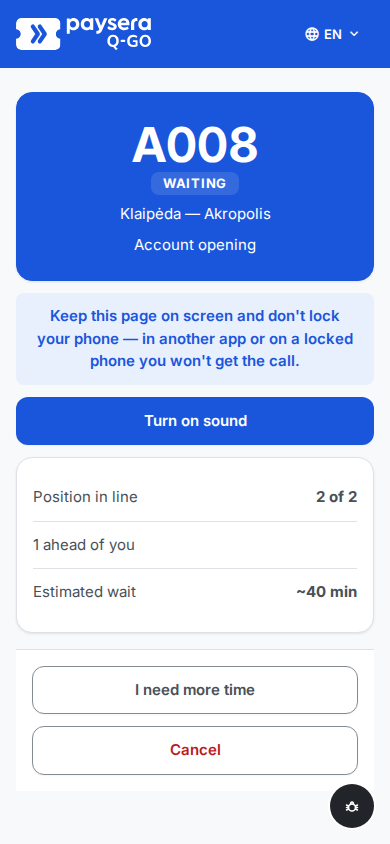
While the ticket is waiting, the page shows the queue number on a large card with a Waiting badge, the branch and service, the position in line ("5 of 5"), how many people are ahead, and the estimated wait. All of it updates live — no refreshing. When the client reaches the front, the position line flips to "You're next!".
Right under the queue number the page asks the client to keep it on screen and not lock the phone — a phone in another app or locked gets no call — and offers Turn on sound. One tap turns on the call sound and keeps the screen from switching off while the ticket waits; the page then says "Sound is on — when you're called, your phone will ring if this page is on screen." If the phone's browser cannot keep the screen on or play sound, the notice and the button stay and the page promises nothing. The choice lasts while the page is open.
If the connection drops, the page says "Connection lost — reconnecting…" and catches itself up automatically once it is back — the client never needs to reload. When the client comes back to the page — unlocks the phone or switches back from another app — it refreshes at once, and the connection notice waits five seconds so a quick reconnect does not flash it.
Running late — "I need more time"
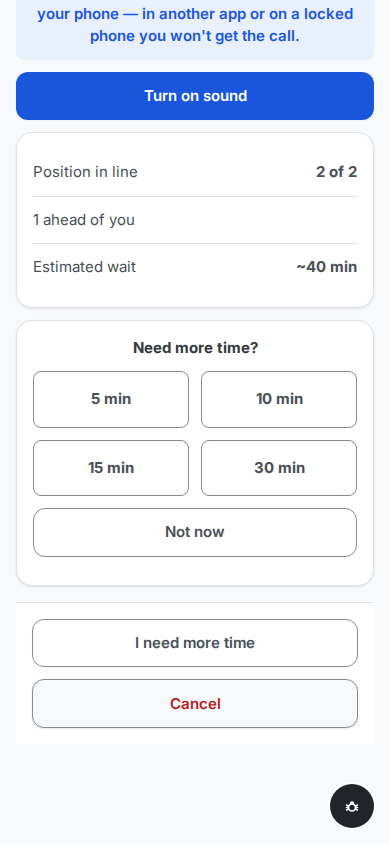
A client who is nearby but not ready taps I need more time and picks a pause: 5, 10, 15, or 30 minutes.
During the pause the client is not called — the page shows a countdown instead of the position — but their place in line is kept: when the pause ends (or the client taps that they are ready now), they resume with their original queue standing, not at the back.
Pauses can be extended, up to 30 minutes in total per ticket. The option is available only while the ticket is still waiting — not once it has been called.
Called
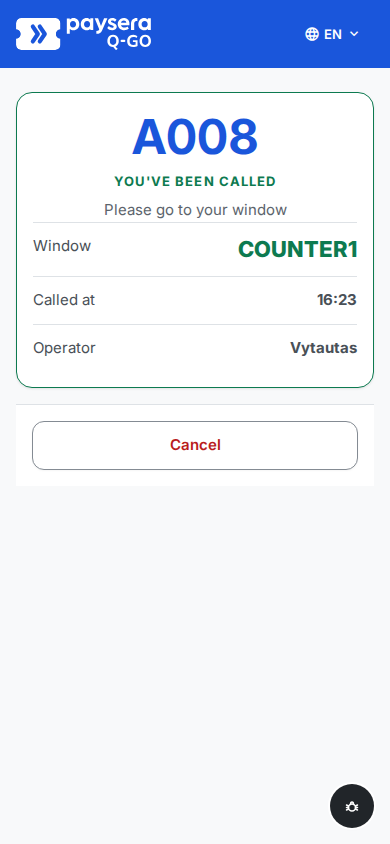
The moment an operator calls the ticket, the page switches to a prominent "You've been called" view: the window to go to, the time of the call, and the operator's name. At branches where windows carry a floor label, the floor is named too. When the call arrives on a page that is on screen, the phone plays a chime if the client tapped Turn on sound, the browser tab title shows the call, and on Android the phone vibrates once the client has tapped the page (iPhones do not support it). Each repeat call from the operator signals again. A locked phone or a page in another app gets no signal — the TV display does.
Signed-in clients who have not opted out also get a "called" email — and, earlier, a "your turn is approaching" heads-up (the on-page banner covers everyone; see Notifications).
The called view stays until the client arrives at the window and the operator starts serving.
Cancelling
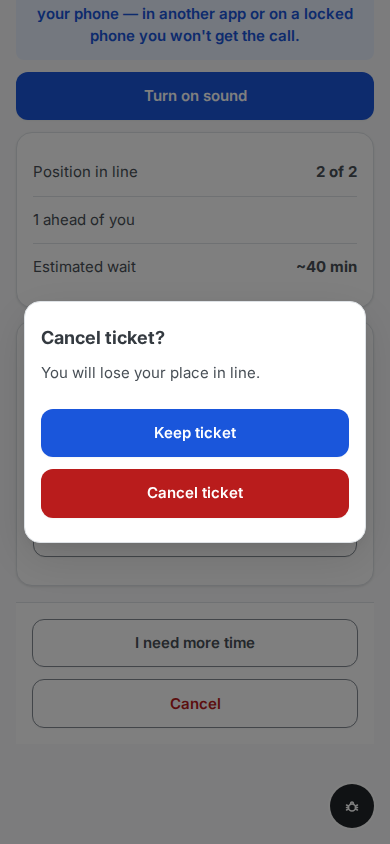
Plans change: Cancel is available any time before service starts. It always asks first — "You will lose your place in line." — with keeping the ticket as the safe default.
On confirmation the ticket is cancelled, the slot goes back to the queue, and the page says so. No email is sent — the page itself is the confirmation.
After the visit — feedback
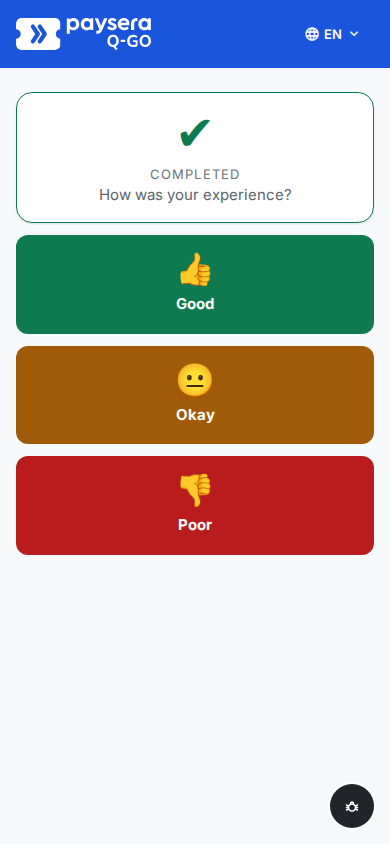
When the operator completes the service, the page shows a completed check and one question — "How was your experience?" — with three one-tap answers.
After picking a rating the client can add an optional comment, then sees a thank-you. Ratings feed the operator's daily stats and your branch analytics.
The rating window stays open for 48 hours after completion, so the post-visit feedback email — if you enable it — can bring back clients who closed the page.
Result
One page carries the client through the whole visit: join, wait, pause if late, walk to the right window on call, and leave a rating — with your branding on it and not a single app install.
Common problems
- The client closed the page and "lost" the ticket — the ticket link keeps working on any device until the visit ends; reopening it shows the live state. Only losing the link itself loses the page — at which point the TV display still shows their code.
- The client missed the call on their phone — the page can only ring while it is on screen; a locked phone or another app gets nothing. That is why the waiting page asks the client to keep it on screen and offers Turn on sound, which also keeps the screen on.
- iPhone silent mode can mute the call chime — turn silent mode off to hear it; the page still shows the call.
- "I need more time" is greyed out or gone — the 30-minute total pause cap is reached, or the ticket has already been called.
- The client was called but never came — the operator can repeat the call, skip the ticket (it returns to the queue), or mark a no-show; a no-show client rejoins by simply scanning the QR again, or — still in the branch — asks at a window to be called again, which the no-show page itself suggests (see the operator console).
- No feedback prompt after the visit — the rating shows only on completed visits (a cancelled ticket has nothing to rate), and the 48-hour window may have passed.